Excel Focus Cell
Microsoft introduced the Cell Focus feature in 2024 that highlights both row & column of an active cell (Fig. 1). This feature is available with RPI's subscription, both Desktop and online Excel.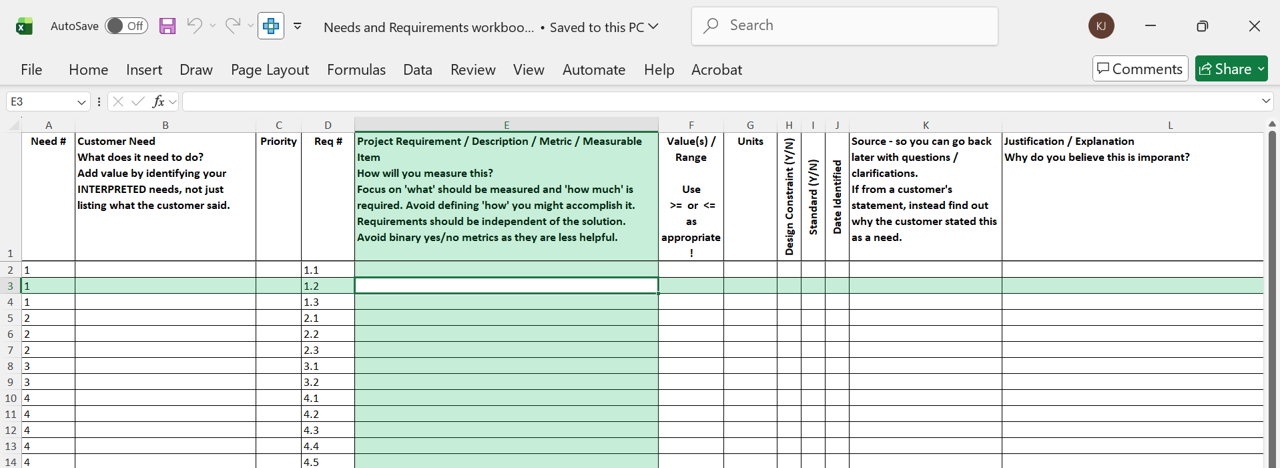 |
| Fig. 1: Both Row and Column |
You can activate (deactivate) the feature by following these steps.
Desktop Version1. Select the View tab.
2. Click the Focus Cell pull-down. (Fig. 2)
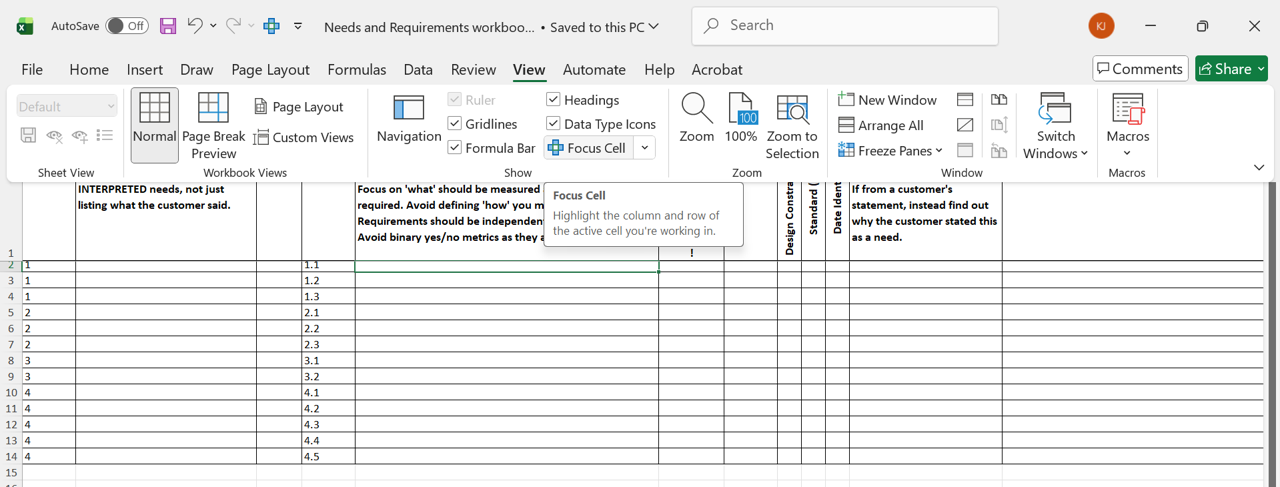 |
| Fig. 2 Activating (Deactivating) Focus Cell |
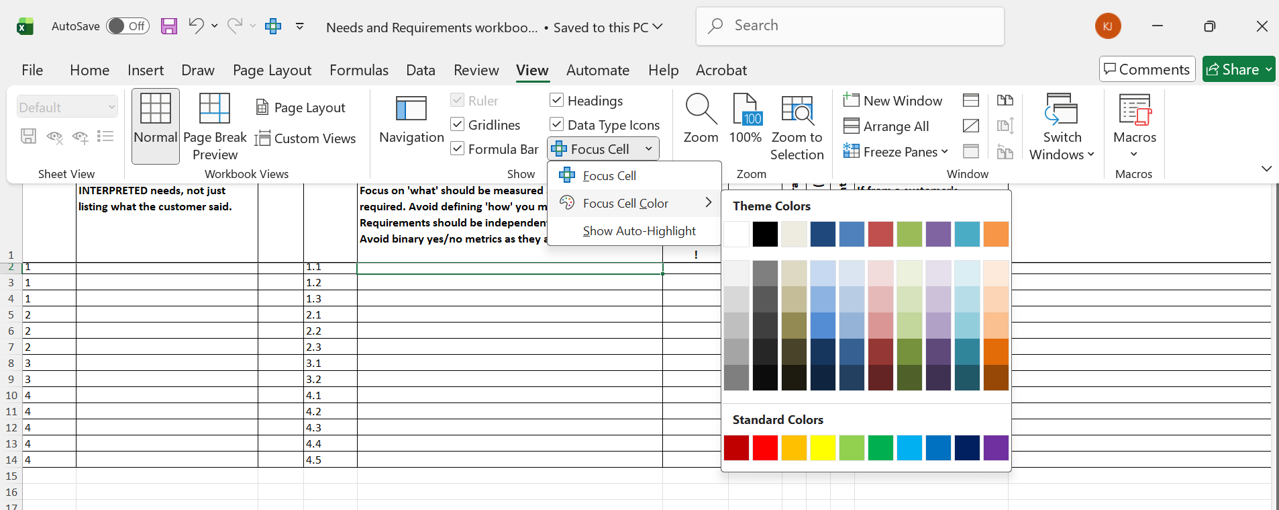 |
| Fig. 3 Changing the Color |
- Select the View tab and "..."
- Choose the Focus Cell option from the Focus Cell pull-down menu.
- Change the highlighting color for the Focus Cell Color option from the pull-down menu.